
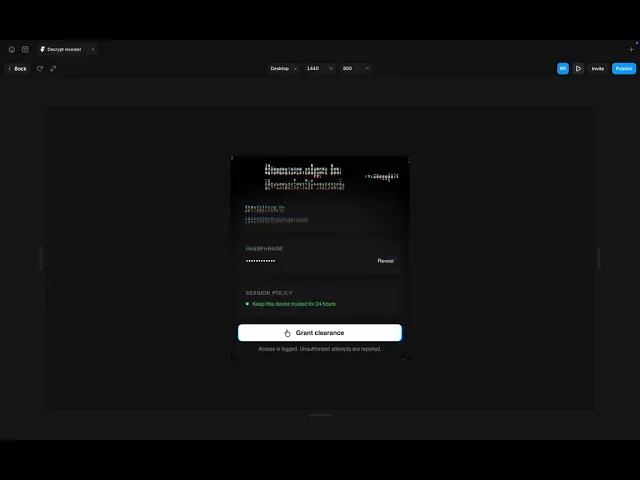
Decrypt Revealer for Framer Pages
Decrypt Revealer is a Framer code component that turns any page section into a live WebGL cipher of glyphs, then decrypts it back into readable content inside a glowing circle that follows the cursor.
...
...
Variants:
0
Theme:
Please note: This component is available only for active license holders. Sign in with your license key or purchase one.
Copying disabled
How to use the component?
Copy the Decrypt Revealer component and paste it onto your Framer canvas.
Unable to copy? Sign in and try again.
Set the Width to Fill, and the Height to 100vh for a full-screen decrypt effect (any fixed size works too).
Build the section you want to hide (heading, paragraph, buttons, images, whole layouts) inside a stack and name it something clear, like "Decrypt Content".
Drag that stack outside the breakpoint so it sits on the canvas as a standalone layer.
Select the Decrypt Revealer component, open the properties panel, and choose that stack in the Content control.
Use Corner Radius to match the component to the card or section it sits in.
Images inside the content must be CORS-fetchable to appear in the cipher. Framer-hosted images and inline SVG work out of the box; cross-origin iframes and embeds are not captured.
Radius & Softness - the size of the decrypting circle around the cursor and how gently it fades into the cipher.
Smoothing - how quickly the circle catches up to the pointer, in seconds.
Cell & Aspect - the size and shape of each glyph cell. Smaller cells read more like real text; larger cells look more like ASCII art.
Characters - the character set the cipher is built from. Swap in binary, katakana, symbols, or your own alphabet.
Cipher, Backdrop & Colored - the glyph color, the background behind it, and how much of your content's original color bleeds through.
Brightness, Legibility, Contrast, Exposure & Threshold - tune how readable the encrypted state is and how much of the content survives in the cipher.
Scramble & Speed - how much the glyphs shuffle and how fast they churn.
Edge Width, Flicker, Glow & Tint - style the rim of the reveal circle, from a soft halo to a hard scanning edge.
Aberration - chromatic RGB split for a glitchy, CRT-style look.
Passthrough - how much of the untouched original content stays visible outside the circle.
Preview to see the effect. The canvas shows a static frame by design; press Preview (or publish) and move your cursor over the section to decrypt it.
Check out more components like this on our main collection page (All code components).
If you need the full React code file of this component, sign in and copy the code.
Where to use?
The following niches and sections are the strongest placements for this decrypt-text reveal component.
Site type | Where to use it? |
|---|---|
Cybersecurity & SaaS | Hero section - Let visitors decrypt your headline with their cursor and show what your product does in one gesture |
AI & developer tools | Feature or docs section - Reveal code blocks and technical copy with a terminal-style cipher |
Design agencies & studios | About or manifesto section - Turn a plain statement into an interactive moment visitors want to play with |
Portfolios | Project cards - Keep case study previews encrypted until the cursor sweeps across them |
Crypto & Web3 | Pricing or token section - Match the encrypted aesthetic the audience already expects |
Music, film & gaming | Teaser and drop pages - Hide a release date or tracklist behind a glitchy reveal |
Coming soon & 404 pages | Full page - One bold interactive effect carries a short page on its own |
LIMITED TIME OFFER
Launch amazing websites with
Framerstacks
Still trying to design and launch a website from scratch? Check out 800+ pre-built Framer components and sections that 10x your design speed.
Life time access
Save hundreds of hours
10x design speed
Weekly new releases
Premium designs
Color theme responsiveness
Starts from
$79.00
$99
One-time
Decrypt Revealer for Framer Pages
Decrypt Revealer is a Framer code component that turns any page section into a live WebGL cipher of glyphs, then decrypts it back into readable content inside a glowing circle that follows the cursor.
...
...
Variants:
0
Theme:
Please note: This component is available only for active license holders. Sign in with your license key or purchase one.
Copying disabled
How to use the component?
Copy the Decrypt Revealer component and paste it onto your Framer canvas.
Unable to copy? Sign in and try again.
Set the Width to Fill, and the Height to 100vh for a full-screen decrypt effect (any fixed size works too).
Build the section you want to hide (heading, paragraph, buttons, images, whole layouts) inside a stack and name it something clear, like "Decrypt Content".
Drag that stack outside the breakpoint so it sits on the canvas as a standalone layer.
Select the Decrypt Revealer component, open the properties panel, and choose that stack in the Content control.
Use Corner Radius to match the component to the card or section it sits in.
Images inside the content must be CORS-fetchable to appear in the cipher. Framer-hosted images and inline SVG work out of the box; cross-origin iframes and embeds are not captured.
Radius & Softness - the size of the decrypting circle around the cursor and how gently it fades into the cipher.
Smoothing - how quickly the circle catches up to the pointer, in seconds.
Cell & Aspect - the size and shape of each glyph cell. Smaller cells read more like real text; larger cells look more like ASCII art.
Characters - the character set the cipher is built from. Swap in binary, katakana, symbols, or your own alphabet.
Cipher, Backdrop & Colored - the glyph color, the background behind it, and how much of your content's original color bleeds through.
Brightness, Legibility, Contrast, Exposure & Threshold - tune how readable the encrypted state is and how much of the content survives in the cipher.
Scramble & Speed - how much the glyphs shuffle and how fast they churn.
Edge Width, Flicker, Glow & Tint - style the rim of the reveal circle, from a soft halo to a hard scanning edge.
Aberration - chromatic RGB split for a glitchy, CRT-style look.
Passthrough - how much of the untouched original content stays visible outside the circle.
Preview to see the effect. The canvas shows a static frame by design; press Preview (or publish) and move your cursor over the section to decrypt it.
Check out more components like this on our main collection page (All code components).
If you need the full React code file of this component, sign in and copy the code.
Where to use?
The following niches and sections are the strongest placements for this decrypt-text reveal component.
Site type | Where to use it? |
|---|---|
Cybersecurity & SaaS | Hero section - Let visitors decrypt your headline with their cursor and show what your product does in one gesture |
AI & developer tools | Feature or docs section - Reveal code blocks and technical copy with a terminal-style cipher |
Design agencies & studios | About or manifesto section - Turn a plain statement into an interactive moment visitors want to play with |
Portfolios | Project cards - Keep case study previews encrypted until the cursor sweeps across them |
Crypto & Web3 | Pricing or token section - Match the encrypted aesthetic the audience already expects |
Music, film & gaming | Teaser and drop pages - Hide a release date or tracklist behind a glitchy reveal |
Coming soon & 404 pages | Full page - One bold interactive effect carries a short page on its own |
LIMITED TIME OFFER
Launch amazing websites with
Framerstacks
Still trying to design and launch a website from scratch? Check out 800+ pre-built Framer components and sections that 10x your design speed.
Life time access
Save hundreds of hours
10x design speed
Weekly new releases
Premium designs
Color theme responsiveness
Starts from
$79.00
$99
One-time
Library overview
Framerstacks hosts one of the largest collections of pre-built Framer components and website sections. With 200+ professionally designed components and 800+ variants.
Our library spans 40+ webpage section categories, enabling creators to build beautiful, high-performance websites in Framer faster than ever.
Explore the main library page.
Contribution
Have something creative on your mind? Or wish to become a contributor inside Framerstacks?
You're welcome. Join as a contributor and help to shape the future of the high-quality Framer components and sections gallery. Head over to the submission page and contribute.
Support
If you need any further support related to this specific component or section, please send an email to hello@framerstacks.com
One of our customer support team members will get in touch with you within 24 hours.
To report an issue with the product, purchase, functionality, submit a ticket.
Just like more components

Smooth Scroll Effect for Framer Web Pages
Sep 1, 2026

Command Palette for Framer Projects (cmdK)
Aug 25, 2026

Scattered Text Grid Animation for Framer
Aug 19, 2026

Infinite 3D Image Tunnel for Framer
Aug 16, 2026

3D Bend Page Effect Code Component for Framer
Aug 14, 2026

Testimonial Carousel Component for Framer
Aug 15, 2026

Page Transition Manager Code for Framer
Aug 15, 2026

Liquid Text Distortion Effect for Framer
Aug 14, 2026

Circular 3D Image Gallery Component for Framer
Aug 14, 2026

3D Flip Social Media Icons Component for Framer
Aug 14, 2026
Blog Read Time Calculator Component for Framer
Aug 14, 2026
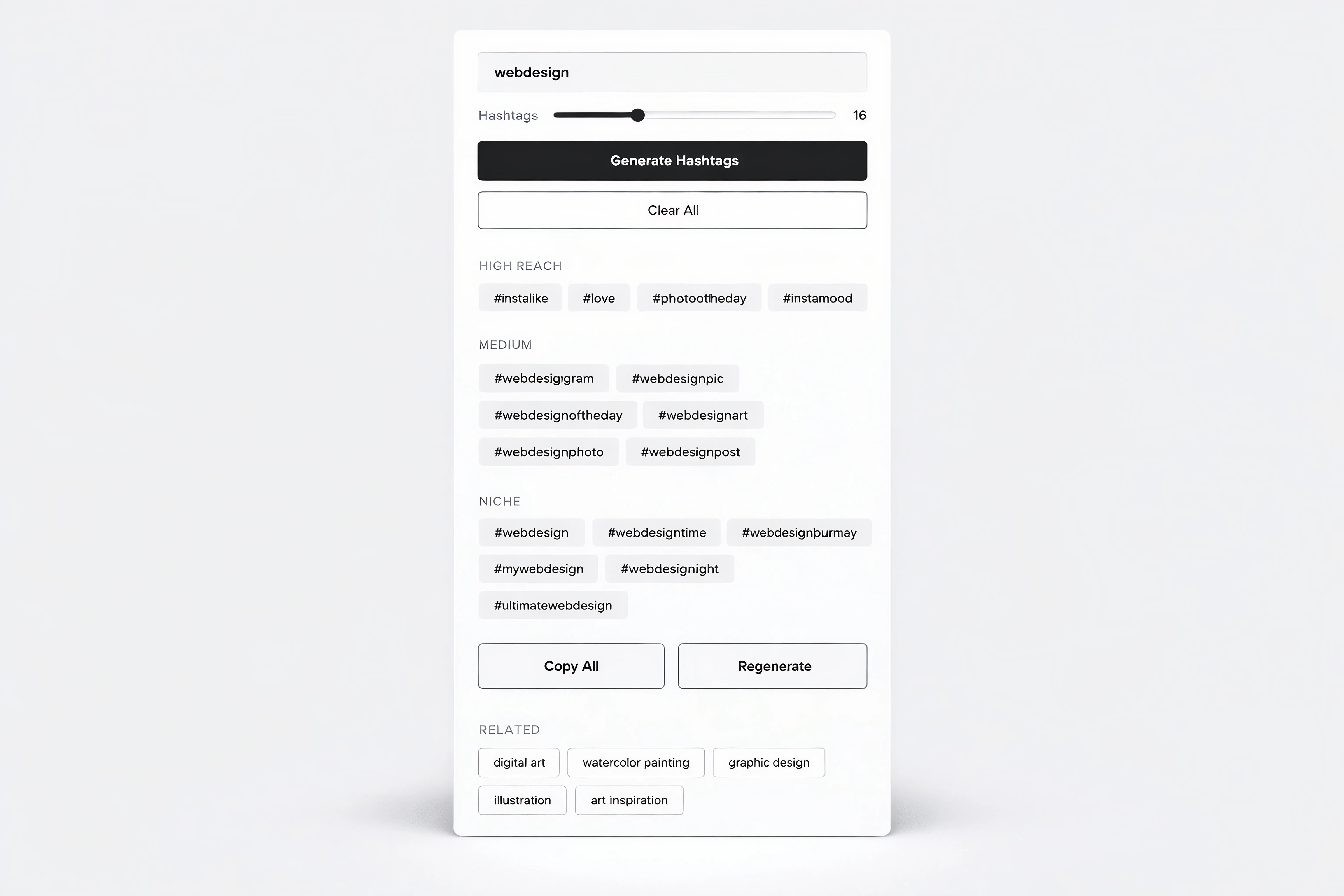
Hashtag Generator Tool Component for Framer
Aug 14, 2026
Load More
Smooth Scroll Effect for Framer Web Pages
Sep 1, 2026
Command Palette for Framer Projects (cmdK)
Aug 25, 2026
Scattered Text Grid Animation for Framer
Aug 19, 2026
Infinite 3D Image Tunnel for Framer
Aug 16, 2026
3D Bend Page Effect Code Component for Framer
Aug 14, 2026
Testimonial Carousel Component for Framer
Aug 15, 2026
Load More
The FAQs
Have questions? We got you…
Everything you need to know about our product and billing.
" height="145.6071412712696px" id="yQXBZZpLX" width="80.09859047311576px"/></svg>)
What is Framerstack?
Is there a free plan available?
What about the refund policy?
How I can avail my user license?
Still have questions? Or can't find the right answer? Please contact us. One of our customer support team members will get in touch with you.
Join to the community
Stay in the loop with everything you need to know.
By clicking Submit, you agree to our Privacy Policy and to receive our notifications. You can Unsubscribe anytime.
By clicking Submit, you agree to our Privacy Policy and to receive our notifications. You can Unsubscribe anytime.