
Last updated on:
Updated on:
Infinite 3D Image Tunnel for Framer
Infinite Image Tunnel is a Framer code component that flies your visitors through an endless 3D corridor of images, with mouse parallax.
Variants:
1
Theme:
Please note: This component is available only for active license holders. Sign in with your license key or purchase one.
Copying disabled
How to use the component?
Copy the Infinite Image Tunnel component and paste it anywhere on your Framer canvas.
Set the width to Fill and the Height to viewport 100vh for a full-screen cinematic effect.
Unable to copy? Sign in and try again.
Or you can copy this component from Framer Marketplace for FREE.
Select the component and use the Images control in the right-hand properties panel.
Click + to add each image. They are automatically distributed across the left wall, right wall, ceiling, and floor of the tunnel.
12 images is the sweet spot (24 is the maximum). The component repeats them to fill the full depth, so you never see an empty tunnel.
Landscape and portrait crops both work. Mixing the two makes the composition look more editorial.
Everything is a slider, a toggle or a color picker, no code anywhere.
Start Button & Start Text - show the pill CTA and change its label ("Press to Start" by default).
Auto Start - begin the flight immediately instead of waiting for a click.
Animation Speed - how fast the camera travels down the tunnel (0.1 to 5).
Pause On Hover / Click To Pause - let visitors stop and study a single image.
Mouse Parallax - the tunnel leans towards the cursor for a real depth feel.
Reduced Motion - a calmer version for motion-sensitive visitors.
Perspective & Tunnel Depth - the camera lens and how long the corridor is. Lower perspective exaggerates the effect, higher keeps it subtle.
Show Grid, Grid Color, Grid Opacity, Grid Width - the wireframe lines that build the retro-futuristic corridor.
Background - the void color behind everything. Black gives the most cinematic result.
Tile Gap & Tile Scale - spacing and size of the image panels on each surface.
Preview, make any necessary tweaks, and publish it.
Preview to see the effect. The canvas shows a static frame by design; press Preview (or publish), then click Start and move your cursor to fly through the tunnel.
Built with pure CSS 3D transforms, so it stays light and smooth without any WebGL or heavy libraries.
Check out more components like this on our main collection page (All code components).
If you need the full React code file of this component, sign in and copy the code.
Where to use?
The following niches or categories are highly recommended placements for using this infinite image gallery component.
Site type | Where to use it? |
|---|---|
Photography portfolios | Hero section - Fly visitors straight through your body of work in the first fold |
Design agencies & studios | "Selected work" section - An immersive walkthrough of every project instead of a static grid |
Fashion & e-commerce | Lookbook or drop page - Turn a campaign shoot into a cinematic tunnel visitors travel through |
Music, film & events | Landing and teaser pages - A hypnotic backdrop for tour dates, trailers and lineups |
Architecture & real estate | Project galleries - Walk visitors through interiors and exteriors without a single click |
Coming soon & 404 pages | Full-screen background - One bold interactive effect that carries a near-empty page |
Awwwards-style experimental sites | Signature scroll moment - Dark, immersive 3D art direction with zero WebGL cost |
LIMITED TIME OFFER
Launch amazing websites with
Framerstacks
Still trying to design and launch a website from scratch? Check out 800+ pre-built Framer components and sections that 10x your design speed.
Life time access
Save hundreds of hours
10x design speed
Weekly new releases
Premium designs
Color theme responsiveness
Starts from
$79.00
$99
One-time
Infinite 3D Image Tunnel for Framer
Infinite Image Tunnel is a Framer code component that flies your visitors through an endless 3D corridor of images, with mouse parallax.
Variants:
1
Theme:
Please note: This component is available only for active license holders. Sign in with your license key or purchase one.
Copying disabled
How to use the component?
Copy the Infinite Image Tunnel component and paste it anywhere on your Framer canvas.
Set the width to Fill and the Height to viewport 100vh for a full-screen cinematic effect.
Unable to copy? Sign in and try again.
Or you can copy this component from Framer Marketplace for FREE.
Select the component and use the Images control in the right-hand properties panel.
Click + to add each image. They are automatically distributed across the left wall, right wall, ceiling, and floor of the tunnel.
12 images is the sweet spot (24 is the maximum). The component repeats them to fill the full depth, so you never see an empty tunnel.
Landscape and portrait crops both work. Mixing the two makes the composition look more editorial.
Everything is a slider, a toggle or a color picker, no code anywhere.
Start Button & Start Text - show the pill CTA and change its label ("Press to Start" by default).
Auto Start - begin the flight immediately instead of waiting for a click.
Animation Speed - how fast the camera travels down the tunnel (0.1 to 5).
Pause On Hover / Click To Pause - let visitors stop and study a single image.
Mouse Parallax - the tunnel leans towards the cursor for a real depth feel.
Reduced Motion - a calmer version for motion-sensitive visitors.
Perspective & Tunnel Depth - the camera lens and how long the corridor is. Lower perspective exaggerates the effect, higher keeps it subtle.
Show Grid, Grid Color, Grid Opacity, Grid Width - the wireframe lines that build the retro-futuristic corridor.
Background - the void color behind everything. Black gives the most cinematic result.
Tile Gap & Tile Scale - spacing and size of the image panels on each surface.
Preview, make any necessary tweaks, and publish it.
Preview to see the effect. The canvas shows a static frame by design; press Preview (or publish), then click Start and move your cursor to fly through the tunnel.
Built with pure CSS 3D transforms, so it stays light and smooth without any WebGL or heavy libraries.
Check out more components like this on our main collection page (All code components).
If you need the full React code file of this component, sign in and copy the code.
Where to use?
The following niches or categories are highly recommended placements for using this infinite image gallery component.
Site type | Where to use it? |
|---|---|
Photography portfolios | Hero section - Fly visitors straight through your body of work in the first fold |
Design agencies & studios | "Selected work" section - An immersive walkthrough of every project instead of a static grid |
Fashion & e-commerce | Lookbook or drop page - Turn a campaign shoot into a cinematic tunnel visitors travel through |
Music, film & events | Landing and teaser pages - A hypnotic backdrop for tour dates, trailers and lineups |
Architecture & real estate | Project galleries - Walk visitors through interiors and exteriors without a single click |
Coming soon & 404 pages | Full-screen background - One bold interactive effect that carries a near-empty page |
Awwwards-style experimental sites | Signature scroll moment - Dark, immersive 3D art direction with zero WebGL cost |
LIMITED TIME OFFER
Launch amazing websites with
Framerstacks
Still trying to design and launch a website from scratch? Check out 800+ pre-built Framer components and sections that 10x your design speed.
Life time access
Save hundreds of hours
10x design speed
Weekly new releases
Premium designs
Color theme responsiveness
Starts from
$79.00
$99
One-time
Infinite 3D Image Tunnel for Framer
Infinite Image Tunnel is a Framer code component that flies your visitors through an endless 3D corridor of images, with mouse parallax.
Variants:
1
Theme:
Please note: This component is available only for active license holders. Sign in with your license key or purchase one.
Copying disabled
How to use the component?
Copy the Infinite Image Tunnel component and paste it anywhere on your Framer canvas.
Set the width to Fill and the Height to viewport 100vh for a full-screen cinematic effect.
Unable to copy? Sign in and try again.
Or you can copy this component from Framer Marketplace for FREE.
Select the component and use the Images control in the right-hand properties panel.
Click + to add each image. They are automatically distributed across the left wall, right wall, ceiling, and floor of the tunnel.
12 images is the sweet spot (24 is the maximum). The component repeats them to fill the full depth, so you never see an empty tunnel.
Landscape and portrait crops both work. Mixing the two makes the composition look more editorial.
Everything is a slider, a toggle or a color picker, no code anywhere.
Start Button & Start Text - show the pill CTA and change its label ("Press to Start" by default).
Auto Start - begin the flight immediately instead of waiting for a click.
Animation Speed - how fast the camera travels down the tunnel (0.1 to 5).
Pause On Hover / Click To Pause - let visitors stop and study a single image.
Mouse Parallax - the tunnel leans towards the cursor for a real depth feel.
Reduced Motion - a calmer version for motion-sensitive visitors.
Perspective & Tunnel Depth - the camera lens and how long the corridor is. Lower perspective exaggerates the effect, higher keeps it subtle.
Show Grid, Grid Color, Grid Opacity, Grid Width - the wireframe lines that build the retro-futuristic corridor.
Background - the void color behind everything. Black gives the most cinematic result.
Tile Gap & Tile Scale - spacing and size of the image panels on each surface.
Preview, make any necessary tweaks, and publish it.
Preview to see the effect. The canvas shows a static frame by design; press Preview (or publish), then click Start and move your cursor to fly through the tunnel.
Built with pure CSS 3D transforms, so it stays light and smooth without any WebGL or heavy libraries.
Check out more components like this on our main collection page (All code components).
If you need the full React code file of this component, sign in and copy the code.
Where to use?
The following niches or categories are highly recommended placements for using this infinite image gallery component.
Site type | Where to use it? |
|---|---|
Photography portfolios | Hero section - Fly visitors straight through your body of work in the first fold |
Design agencies & studios | "Selected work" section - An immersive walkthrough of every project instead of a static grid |
Fashion & e-commerce | Lookbook or drop page - Turn a campaign shoot into a cinematic tunnel visitors travel through |
Music, film & events | Landing and teaser pages - A hypnotic backdrop for tour dates, trailers and lineups |
Architecture & real estate | Project galleries - Walk visitors through interiors and exteriors without a single click |
Coming soon & 404 pages | Full-screen background - One bold interactive effect that carries a near-empty page |
Awwwards-style experimental sites | Signature scroll moment - Dark, immersive 3D art direction with zero WebGL cost |
LIMITED TIME OFFER
Launch amazing websites with
Framerstacks
Still trying to design and launch a website from scratch? Check out 800+ pre-built Framer components and sections that 10x your design speed.
Life time access
Save hundreds of hours
10x design speed
Weekly new releases
Premium designs
Color theme responsiveness
Starts from
$79.00
$99
One-time
Infinite 3D Image Tunnel for Framer
Infinite Image Tunnel is a Framer code component that flies your visitors through an endless 3D corridor of images, with mouse parallax.
Variants:
1
Theme:
Please note: This component is available only for active license holders. Sign in with your license key or purchase one.
Copying disabled
How to use the component?
Copy the Infinite Image Tunnel component and paste it anywhere on your Framer canvas.
Set the width to Fill and the Height to viewport 100vh for a full-screen cinematic effect.
Unable to copy? Sign in and try again.
Or you can copy this component from Framer Marketplace for FREE.
Select the component and use the Images control in the right-hand properties panel.
Click + to add each image. They are automatically distributed across the left wall, right wall, ceiling, and floor of the tunnel.
12 images is the sweet spot (24 is the maximum). The component repeats them to fill the full depth, so you never see an empty tunnel.
Landscape and portrait crops both work. Mixing the two makes the composition look more editorial.
Everything is a slider, a toggle or a color picker, no code anywhere.
Start Button & Start Text - show the pill CTA and change its label ("Press to Start" by default).
Auto Start - begin the flight immediately instead of waiting for a click.
Animation Speed - how fast the camera travels down the tunnel (0.1 to 5).
Pause On Hover / Click To Pause - let visitors stop and study a single image.
Mouse Parallax - the tunnel leans towards the cursor for a real depth feel.
Reduced Motion - a calmer version for motion-sensitive visitors.
Perspective & Tunnel Depth - the camera lens and how long the corridor is. Lower perspective exaggerates the effect, higher keeps it subtle.
Show Grid, Grid Color, Grid Opacity, Grid Width - the wireframe lines that build the retro-futuristic corridor.
Background - the void color behind everything. Black gives the most cinematic result.
Tile Gap & Tile Scale - spacing and size of the image panels on each surface.
Preview, make any necessary tweaks, and publish it.
Preview to see the effect. The canvas shows a static frame by design; press Preview (or publish), then click Start and move your cursor to fly through the tunnel.
Built with pure CSS 3D transforms, so it stays light and smooth without any WebGL or heavy libraries.
Check out more components like this on our main collection page (All code components).
If you need the full React code file of this component, sign in and copy the code.
Where to use?
The following niches or categories are highly recommended placements for using this infinite image gallery component.
Site type | Where to use it? |
|---|---|
Photography portfolios | Hero section - Fly visitors straight through your body of work in the first fold |
Design agencies & studios | "Selected work" section - An immersive walkthrough of every project instead of a static grid |
Fashion & e-commerce | Lookbook or drop page - Turn a campaign shoot into a cinematic tunnel visitors travel through |
Music, film & events | Landing and teaser pages - A hypnotic backdrop for tour dates, trailers and lineups |
Architecture & real estate | Project galleries - Walk visitors through interiors and exteriors without a single click |
Coming soon & 404 pages | Full-screen background - One bold interactive effect that carries a near-empty page |
Awwwards-style experimental sites | Signature scroll moment - Dark, immersive 3D art direction with zero WebGL cost |
LIMITED TIME OFFER
Launch amazing websites with
Framerstacks
Still trying to design and launch a website from scratch? Check out 800+ pre-built Framer components and sections that 10x your design speed.
Life time access
Save hundreds of hours
10x design speed
Weekly new releases
Premium designs
Color theme responsiveness
Starts from
$79.00
$99
One-time
Library overview
Framerstacks hosts one of the largest collections of pre-built Framer components and website sections. With 270+ professionally designed components and 1000+ variants.
Our library spans 120+ webpage section categories, enabling creators to build beautiful, high-performance websites in Framer faster than ever.
Explore the main library page.
Contribution
Have something creative on your mind? Or wish to become a contributor inside Framerstacks?
You're welcome. Join as a contributor and help to shape the future of the high-quality Framer components and sections gallery. Head over to the submission page and contribute.
Support
If you need any further support related to this specific component or section, please get in touch at hello@framerstacks.com
One of our customer support team members will get in touch with you within 24 hours.
To report an issue with the product, purchase, functionality, submit a ticket.
Just like more components

Smooth Scroll Effect for Framer Web Pages
Oct 2, 2026

Command Palette for Framer Projects (cmdK)
Oct 2, 2026

Scattered Text Grid Animation for Framer
Oct 25, 2026

Decrypt Revealer for Framer Pages
Oct 2, 2026

3D Bend Page Effect Code Component for Framer
Oct 2, 2026

Testimonial Carousel Component for Framer
Oct 2, 2026

Page Transition Manager Code for Framer
Oct 2, 2026

Liquid Text Distortion Effect for Framer
Oct 22, 2026

Circular 3D Image Gallery Component for Framer
Oct 2, 2026

3D Flip Social Media Icons Component for Framer
Oct 2, 2026

Blog Read Time Calculator Component for Framer
Oct 2, 2026
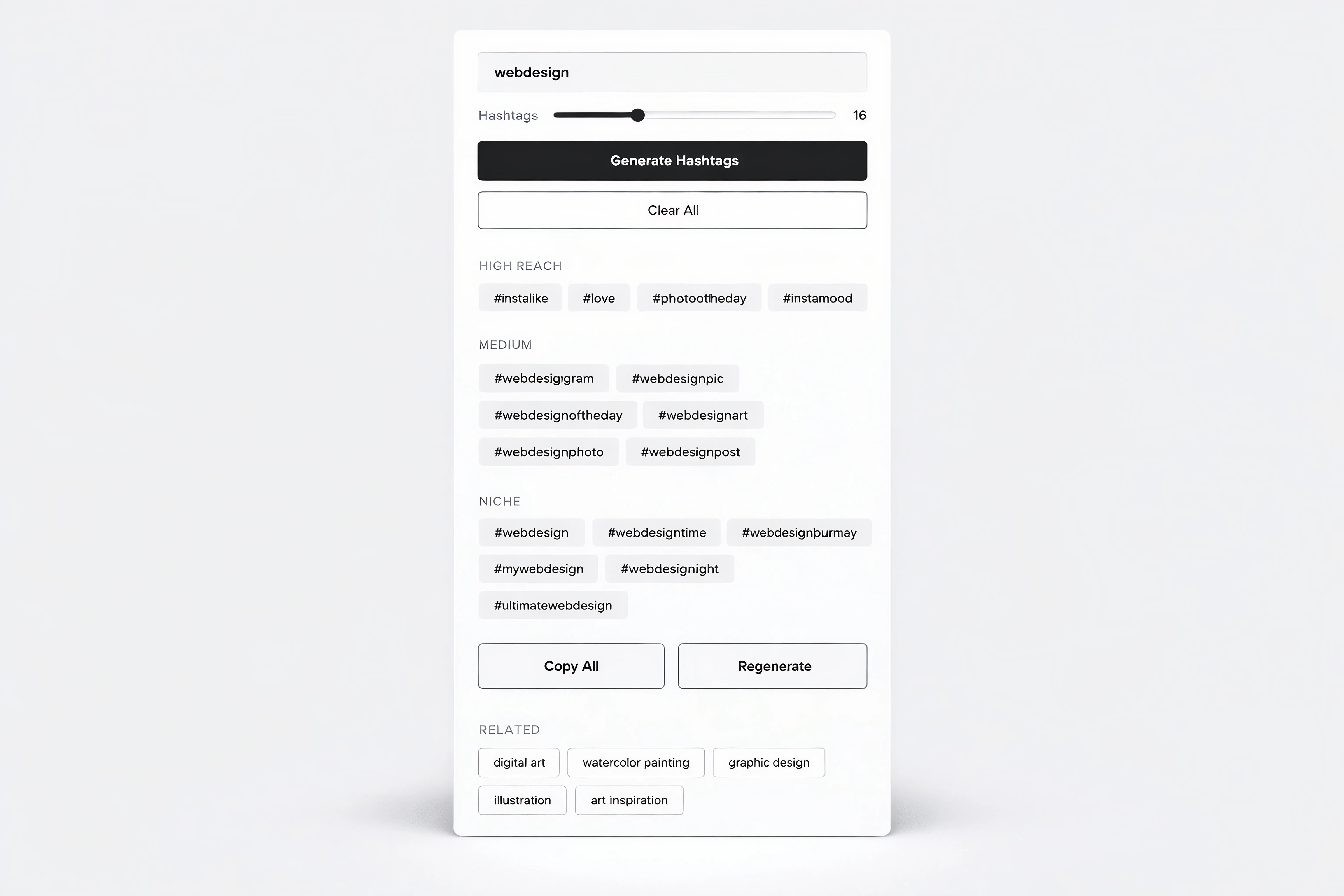
Hashtag Generator Tool Component for Framer
Oct 2, 2026
Load More
Smooth Scroll Effect for Framer Web Pages
Oct 2, 2026
Command Palette for Framer Projects (cmdK)
Oct 2, 2026
Scattered Text Grid Animation for Framer
Oct 25, 2026
Decrypt Revealer for Framer Pages
Oct 2, 2026
3D Bend Page Effect Code Component for Framer
Oct 2, 2026
Testimonial Carousel Component for Framer
Oct 2, 2026
Load More
The FAQs
Have questions? We got you…
Everything you need to know about our product and billing.
" height="145.6071412712696px" id="yQXBZZpLX" width="80.09859047311576px"/></svg>)
What is Framerstack?
Is there a free plan available?
What about the refund policy?
How I can avail my user license?
Still have questions? Or can't find the right answer? Please contact us. One of our customer support team members will get in touch with you.
Join to the community
Stay in the loop with everything you need to know.
By clicking Submit, you agree to our Privacy Policy and to receive our notifications. You can Unsubscribe anytime.
By clicking Submit, you agree to our Privacy Policy and to receive our notifications. You can Unsubscribe anytime.